
Launching Google Ads campaigns can seem daunting, especially for British small businesses competing in a crowded London market. With over 95 percent of online journeys beginning with a search, missing out means losing valuable customers to rivals. Defining your goals and audience is crucial for every step ahead. Gain clear, actionable insights designed to help British entrepreneurs make each advertising pound count and reach those who matter most in London.
Table of Contents
- Step 1: Define Your Advertising Goals And Audience
- Step 2: Set Up Your Google Ads Account Correctly
- Step 3: Create Effective Campaigns And Ad Groups
- Step 4: Design Compelling Ads Tailored To Your Market
- Step 5: Optimise Budgets And Targeting For Local Impact
- Step 6: Monitor Performance And Refine Your Strategy
Quick Summary
| Key Insight | Explanation |
|---|---|
| 1. Establish SMART advertising goals | Clear objectives help align your strategy with specific outcomes like traffic, leads, or sales. |
| 2. Create detailed customer personas | Analyzing demographics and behaviours helps target the right audience effectively. |
| 3. Structure campaigns and ad groups effectively | Use tightly themed groups and precise targeting to maximise ad relevance and response. |
| 4. Design compelling, tailored ads | Create ads that resonate with local audiences by addressing their specific needs and desires. |
| 5. Continuously monitor and refine campaigns | Regularly analyse performance metrics to make informed adjustments and optimise results. |
Step 1: Define your advertising goals and audience
Successful Google Ads campaigns start with crystal clear objectives and a precise understanding of who you want to reach. Your advertising strategy must align with specific business outcomes while targeting the right potential customers in London.
Begin by establishing SMART goals that are specific, measurable, achievable, realistic, and time-bound. Are you looking to drive website traffic, generate leads, boost online sales, or increase brand awareness? Defining precise campaign objectives helps you track performance and make informed decisions. Small businesses typically focus on goals like increasing local customer enquiries, promoting a new service, or expanding their digital presence.
To pinpoint your ideal audience, analyse your existing customer base and create detailed customer personas. Research demographic details such as age, location, income level, and interests. Digital Boost recommends a five-step approach to understanding your target market, which includes examining current customer characteristics and investigating competitor targeting strategies.
Recommended audience targeting steps for London small businesses include:
- Map out your current customer profile
- Identify geographic targeting within London
- Consider age, gender, and income brackets
- Analyse customer interests and online behaviours
Pro tip: Create a detailed customer avatar document that captures not just demographics, but also pain points, aspirations, and potential online search behaviours to refine your Google Ads targeting with precision.
Step 2: Set up your Google Ads account correctly
Setting up your Google Ads account is the gateway to launching successful digital advertising campaigns for your London small business. The process requires careful attention to detail and strategic planning to ensure your marketing efforts deliver maximum impact.
Professional certification courses for Google Ads emphasise the importance of a methodical approach to account creation. Start by visiting ads.google.com and clicking the ‘Start Now’ button. You will need a Google account associated with your business email address. Choose between a Smart campaign for quick setup or a standard campaign for more granular control.
When creating your account, provide accurate business information, including your company name, website, and primary business location in London. Select the most appropriate campaign type based on your advertising goals: search ads for direct response, display ads for brand awareness, or shopping ads for ecommerce businesses. Ensure you link your Google Analytics account to track performance metrics comprehensively.
Key account setup steps include:
- Verify your business contact information
- Set up billing details with a valid payment method
- Choose geographic targeting specific to London
- Configure conversion tracking
- Select appropriate campaign settings
Pro tip: Create a separate Google Ads account for each business entity to maintain clean, organised advertising data and simplify performance reporting.
Step 3: Create effective campaigns and ad groups
Creating strategic Google Ads campaigns and ad groups is crucial for London small businesses looking to maximise their digital marketing performance. The structure of your advertising approach directly impacts your ability to reach potential customers and achieve your marketing objectives.

Professional certification courses emphasise the importance of campaign structuring that aligns with your specific business goals. Begin by selecting the most appropriate campaign type search, display, or shopping based on your advertising objectives. For London businesses, location targeting becomes critical ensure your ads appear to potential customers within your specific service area.
Each campaign should contain tightly themed ad groups with closely related keywords. For instance, a local bakery might create separate ad groups for wedding cakes, birthday cakes, and daily pastries. This granular approach allows for more precise ad messaging and improved relevance scores. When constructing ad groups, focus on creating compelling ad copy that speaks directly to your target audience’s needs and includes clear calls to action.
Key steps for creating effective campaigns and ad groups include:
- Define clear campaign objectives
- Select appropriate campaign type
- Choose precise geographic targeting
- Develop tightly themed ad groups
- Write compelling ad copy with strong keywords
- Set appropriate budgets and bidding strategies
- Implement conversion tracking
Pro tip: Start with a smaller budget and multiple variations of ad copy to test performance, allowing you to refine your strategy based on real world data before scaling up your advertising spend.
Here’s a comparison of Google Ads campaign types and their suitability for London small businesses:
| Campaign Type | Best For | Key Advantage | London Use Case Example |
|---|---|---|---|
| Search Ads | Direct responses | High intent targeting | Local service bookings |
| Display Ads | Brand awareness | Broad visual reach | Promoting community events |
| Shopping Ads | E-commerce retailers | Product-focused advertising | Showcasing local goods online |
| Remarketing | Previous site visitors | Increased conversion chances | Reminding website visitors |
Step 4: Design compelling ads tailored to your market
Crafting persuasive Google Ads that resonate with your London target audience requires a strategic approach to messaging, design, and emotional connection. Your advertising success hinges on creating ads that speak directly to potential customers’ specific needs and desires.
Professional advertising certifications recommend using AI tools to personalise ad copy based on precise audience insights. This means moving beyond generic messaging and developing highly targeted communications that address specific customer pain points. For London small businesses, this could mean highlighting local expertise, understanding neighbourhood specific challenges, or showcasing region specific service advantages.
Effective ad creation involves multiple critical elements. Your headline must grab attention immediately, using powerful language that speaks to your audience’s core needs. The description lines should provide clear value propositions explaining exactly what makes your business unique. Include specific details like pricing, unique selling points, or time limited offers that create a sense of urgency. Ensure your call to action is direct and compelling inviting potential customers to take the next step whether that means booking a consultation, requesting a quote, or making a purchase.
Key strategies for designing market tailored ads include:
- Research your specific audience demographics
- Understand local customer preferences
- Use language that reflects your target market
- Highlight unique local business advantages
- Create multiple ad variations for testing
- Focus on solving specific customer problems
- Incorporate location specific keywords
Pro tip: Always test multiple ad variations simultaneously and use Google Ads performance metrics to continuously refine your messaging for maximum engagement and conversion rates.
Step 5: Optimise budgets and targeting for local impact
Effective Google Ads campaigns for London small businesses demand strategic budget allocation and laser focused targeting to maximise every marketing pound spent. Your approach must balance financial constraints with precise audience reach to generate meaningful business results.
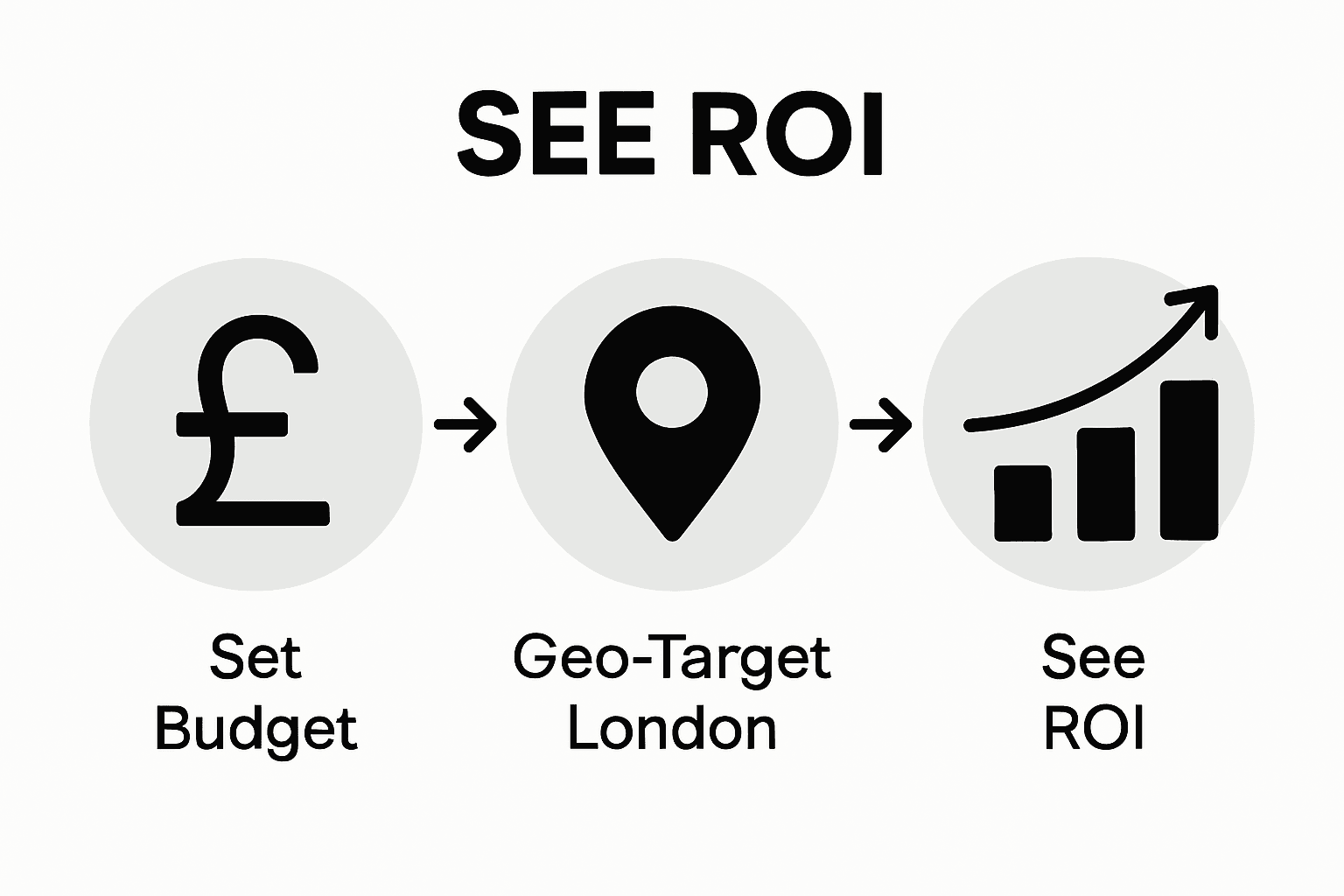
Local digital marketing experts recommend using geo targeting features to ensure your advertising budget delivers maximum local impact. For London businesses, this means drilling down into neighbourhood specific targeting options available within Google Ads platform. Utilise radius targeting around your business location, select specific London postcodes, and narrow audience parameters to reach customers most likely to convert.
Budget optimization requires a nuanced approach balancing daily spending limits with strategic bidding techniques. Start by setting conservative daily budgets that allow for experimentation while protecting your financial resources. Use Google Ads bid strategies like target cost per acquisition or enhanced cost per click to automatically adjust your spending based on potential conversion likelihood. Consider allocating different budget percentages to various campaign types such as search, display, and remarketing to create a balanced advertising ecosystem.
Key budget and targeting optimization strategies include:
- Set precise geographic targeting within London
- Implement radius targeting around business location
- Use postcode level audience segmentation
- Create tiered budget allocations
- Leverage automated bidding strategies
- Monitor performance metrics weekly
- Adjust targeting based on conversion data
Pro tip: Always maintain a minimum 20% of your total advertising budget for testing and experimenting with new targeting approaches to continuously improve campaign performance.
Step 6: Monitor performance and refine your strategy
Successful Google Ads campaigns require continuous monitoring and strategic refinement to ensure your London small business achieves optimal marketing results. Tracking performance metrics allows you to understand exactly how your advertising efforts translate into tangible business outcomes.
Professional digital marketing certifications emphasise the importance of proactive account management and maintaining key performance indicators. Begin by setting up comprehensive conversion tracking in your Google Ads account to measure critical metrics such as click through rates, conversion rates, cost per click, and return on ad spend. These data points will provide invaluable insights into which campaigns and keywords are delivering the most value for your business.
Regular performance analysis involves more than just reviewing numbers. Dive deep into your campaign data to understand audience behaviour, identify emerging trends, and make informed adjustments. Pay close attention to metrics like quality score, which impacts your ad positioning and cost effectiveness. Look for opportunities to pause underperforming keywords, adjust bid strategies, and reallocate budget towards high performing ad groups that demonstrate consistent results.
Key performance monitoring and refinement strategies include:
- Set up comprehensive conversion tracking
- Review performance metrics weekly
- Analyse click through and conversion rates
- Identify top performing keywords
- Adjust bids and budgets dynamically
- Test new ad variations
- Remove low performing elements
Pro tip: Schedule a monthly comprehensive review of your Google Ads performance, creating a structured spreadsheet to track key metrics and compare month on month progress for systematic improvement.
This table summarises essential Google Ads metrics and what they reveal about campaign health:
| Metric | What It Measures | Why It Matters |
|---|---|---|
| Click-Through Rate | Percentage clicking your ad | Gauges ad relevance and appeal |
| Conversion Rate | Percentage completing an action | Indicates real business impact |
| Cost Per Click | Average spend per click | Helps manage advertising budget |
| Quality Score | Ad and keyword quality rating | Affects costs and ad position |
Maximise Your Google Ads Success with Expert Support in London
Navigating the complexities of Google Ads can feel overwhelming for London small businesses trying to define clear goals, create compelling ads and optimise budgets efficiently. This article outlines critical steps like setting SMART objectives, building highly focused campaigns and refining performance metrics — all essential yet challenging without the right expertise. If you want to overcome these hurdles and achieve powerful local advertising results, personalised guidance and proven strategies can make all the difference.
At Market Link Solutions, we specialise in helping London small businesses grow their digital presence through targeted Google Ads campaigns, bespoke web design and SEO optimisation. Our tailored approach ensures your advertising budget delivers real returns by aligning with your business goals and the unique characteristics of your target audience. See how we have transformed small businesses with measurable results in our Success Stories Archives – Digital Marketing Agency – Market Link Solutions.
Ready to elevate your Google Ads campaigns and connect with more local customers? Visit Market Link Solutions today to discover how our experienced team can build your perfect campaign, boost your online visibility and grow your business with smart digital marketing strategies.
Frequently Asked Questions
How do I define my advertising goals for Google Ads?
Successful advertising begins with clear objectives. Set SMART goals that are specific, measurable, achievable, realistic, and time-bound to guide your campaign direction. For example, aim to increase local customer enquiries by 30% within three months.
What should I consider when setting up my Google Ads account?
When setting up your account, ensure you provide accurate business information and choose the right campaign type that aligns with your goals. For instance, if you’re focused on direct responses, select search ads to target potential customers actively searching for your services.
How can I create effective ad campaigns and ad groups?
To create effective campaigns, group closely related keywords into themed ad groups for better ad relevance. Structure your campaigns around key objectives and consider employing multiple ad variations to test performance and improve click-through rates.
What are some tips for designing compelling ads?
Craft ads that speak directly to your target audience’s needs by highlighting unique selling points and local advantages. Use attention-grabbing headlines and clear calls to action, aiming for at least three variations to identify which resonates best within two weeks.
How can I optimise my budget for Google Ads?
Optimise your budget by implementing precise geographic targeting and setting tiered budgets for different campaign types. Start with a conservative daily budget, allowing room for testing with at least 20% allocated to exploring new strategies.
What performance metrics should I monitor in Google Ads?
Key performance metrics to monitor include click-through rate, conversion rate, and cost per click. Regularly reviewing these metrics, ideally weekly, enables you to adjust bids, pause underperforming keywords, and enhance overall campaign performance.