
Showing off your London business online is challenging when visitors click away before booking a table or appointment. Your website needs to impress quickly and help potential customers find everything they need with minimal effort. Relying on a cluttered layout, slow loading pages, or blurry photos risks sending your hard-earned clients straight to your competitors.
The right improvements make a visible difference. You will discover practical steps to present your services clearly, display professional images, and deliver a better browsing experience for everyone. These changes do not require endless budgets or advanced technical skills—they simply require a focus on what matters most to local visitors.
Get ready for actionable advice. The following insights will help your restaurant or beauty clinic website attract more London customers, encourage bookings, and build trust with every visitor.
Table of Contents
- 1. Prioritise Mobile-Friendly Design For All Users
- 2. Use High-Quality Photos To Showcase Your Business
- 3. Ensure Fast Loading Times To Reduce Visitor Drop-Off
- 4. Make Navigation Simple And Clear For Visitors
- 5. Highlight Contact Details And Location Prominently
- 6. Incorporate Clear Calls To Action For Bookings Or Orders
- 7. Optimise Content For Local SEO To Attract More Clients
Quick Summary
| Takeaway | Explanation |
|---|---|
| 1. Prioritise Mobile-Friendly Design | Optimise your website for mobile users to reduce abandonment and capture bookings easily. |
| 2. Use High-Quality Photos | Showcase professional images to build trust and highlight your services effectively. |
| 3. Ensure Fast Loading Times | Aim for website loading times under three seconds to retain visitors and improve conversion rates. |
| 4. Simplify Navigation | Create clear, intuitive navigation to help visitors find information quickly and easily. |
| 5. Highlight Contact Details | Display your contact information prominently on every page to facilitate bookings and enquiries. |
1. Prioritise Mobile-Friendly Design for All Users
Over half of all website traffic now comes from mobile devices, and your London customers are browsing restaurants and beauty clinics on their phones whilst commuting, shopping, or during their lunch breaks. If your website doesn’t work smoothly on mobile, you’re losing potential bookings and customers to competitors who’ve already optimised their sites.
Mobile-friendly design isn’t just about making your website smaller or squeezable. It means creating an experience where buttons are easily tappable, text is readable without zooming, images load quickly, and navigation feels natural on a touchscreen. When someone searches for “beauty salon near me” on their phone and lands on your site, they should be able to book an appointment or call you within two taps. That’s the standard your customers expect.
Consider what happens when a potential customer visits your website on their phone right now. Can they read your menu without rotating their screen? Do your booking buttons sit in easy-to-tap locations? Does your page load in under three seconds, or do they abandon it whilst waiting? These details determine whether you convert visitors into paying customers.
The technical side of this is called responsive design, which automatically adjusts your website’s layout to fit any screen size. Responsive design is crucial for small business websites because it ensures consistent quality across all devices. Without it, your beautiful desktop site becomes unusable on mobile, frustrating potential customers and damaging your reputation.
Here’s what matters most for your mobile experience. Your fonts should be at least 14 pixels, making them easily readable without zooming. Images should compress automatically for faster loading on slower mobile connections. Forms should be simple with minimal typing required, and buttons should be large enough to tap with a thumb without hitting the wrong option. Your navigation menu should collapse into a simple icon (often called a hamburger menu) to save screen space.
For restaurant owners specifically, mobile optimisation means customers can quickly view your menu, see opening hours, check if you’re booking reservations today, and find directions. A beauty clinic owner needs clients to easily book a specific treatment time without navigating through complicated menus. These actions take just seconds on a mobile-optimised site but become frustrating chores on a desktop-only design.
Speed matters tremendously on mobile because many customers browse on 4G rather than broadband. A restaurant website that takes eight seconds to load on mobile loses customers who simply switch to your competitor’s site. Google actually penalises slow mobile sites in search rankings, so a faster mobile experience directly improves your ability to be found locally.
One practical step you can take today is testing your site on a real phone. Open your website on your personal mobile right now and try completing the actions your customers would take. Can you easily find your phone number? Can you view your current offerings without confusion? Does everything load smoothly? This five minute test often reveals problems you’d never spot on a desktop.
Professional advice Test your website on multiple devices and screen sizes, and ask three friends with different phones to try booking or contacting you, then listen carefully to their feedback about what feels awkward or slow.
2. Use High-Quality Photos to Showcase Your Business
Your website’s images are often the first impression potential customers have of your restaurant or beauty clinic. A blurry photo of your dining area or a poorly lit image of your treatment room can make people choose a competitor instead, whilst professional photos build immediate trust and confidence in your business.
Photography matters because people make judgements in milliseconds. When a customer lands on your beauty clinic’s website and sees a well-lit, professional image of your treatment space with happy clients or your skilled therapists at work, they start imagining themselves receiving treatment there. The same applies to restaurants, where mouth-watering photos of your signature dishes can drive bookings faster than any description ever could.
High-quality photos should be clear, well-lit, and free from distractions. This means avoiding cluttered backgrounds, harsh shadows, and blown out lighting that makes everything look washed out. Professional lighting and composition build trust and create a favourable impression on visitors exploring your site. For a beauty clinic, this might mean photographing your treatment beds with soft, even lighting and minimal visual clutter. For a restaurant, it means capturing your food and dining ambiance in a way that makes people hungry.
The challenge many small business owners face is thinking professional photos require expensive equipment or a professional photographer. Whilst hiring a photographer for a day is certainly an option, you have other choices. Modern smartphone cameras produce excellent quality photos when used correctly. Natural lighting from windows beats harsh overhead lights every time. Shooting during golden hour (early morning or late afternoon) creates warm, flattering light that photographs beautifully. These simple adjustments cost nothing and dramatically improve your results.
Consider what photos your customers actually need to see. For a restaurant, show your best dishes, your dining atmosphere, your chef or team at work, and your exterior so people can find you easily. For a beauty clinic, photograph your reception area, treatment rooms, the results of treatments (with client permission), and your team members. These images answer the silent questions every potential customer asks: Will I like this place? Is it clean and professional? Will the staff make me feel welcome?
Many small business owners make the mistake of using only one or two photos repeatedly. Your website should feature variety across different pages and services. A gallery on your services page, lifestyle images showing customers enjoying your offerings, and behind the scenes content showing your expertise all work together to paint a complete picture. This variety also keeps your site from feeling static and outdated.
If photographing your own business feels daunting, you can access vast libraries of professional stock photos that showcase clean, attractive imagery. These work well as supplementary images, though authentic photos of your actual business always outperform generic stock images because customers want to see the real you. A combination of your genuine photos plus carefully selected stock imagery creates the best balance.
Image file size matters too because large, unoptimised photos slow your website down, which frustrates visitors and hurts your search rankings. Before uploading photos, compress them so they load quickly on mobile devices without sacrificing visible quality. Most free online tools handle this automatically, or you can ask your web designer to optimise images during the design process.
Professional advice Photograph your business on a sunny day with natural light, showing your actual space and team members rather than relying solely on generic stock images, and update these photos at least twice yearly to keep your site looking current and trustworthy.
3. Ensure Fast Loading Times to Reduce Visitor Drop-Off
A slow website is a silent customer repellent. If your site takes more than three seconds to load, visitors abandon it and search for competitors instead. This isn’t just frustrating for your customers, it directly damages your ability to convert browsers into bookings and sales.
Speed matters because patience is precious. When someone searches for a beauty clinic appointment on their phone during a lunch break, they want results instantly. If your website takes six seconds to load whilst they wait, they’ve already moved to the next search result. For restaurants trying to capture hungry customers searching for dinner reservations, every second of delay costs you potential bookings.
Website speed affects three critical areas of your business. First, user experience deteriorates when pages load slowly, making visitors frustrated and unlikely to complete actions like booking appointments or making enquiries. Second, your search engine rankings suffer because Google prioritises fast websites when displaying local search results. Third, your conversion rates drop measurably because slow sites lose customers before they even see your offerings.
The technical reasons websites slow down are usually simple to address. High-quality photos that haven’t been compressed, unoptimised code written inefficiently, and poor hosting servers all contribute to sluggish performance. Optimising images and using reliable hosting plans are foundational strategies that dramatically improve performance. These steps form the backbone of speed optimisation for small businesses.
Image compression is one of the quickest wins you can achieve. Professional photos are often several megabytes in size, which means they load slowly on mobile connections. When these images are compressed to 200 to 300 kilobytes without visible quality loss, your page speed improves dramatically. A beauty clinic’s treatment room photo that once took three seconds to load now appears in under one second.
Browser caching and file compression like GZIP work behind the scenes to reduce the amount of data visitors download. Caching stores copies of your website on visitors’ devices so subsequent visits load instantly. GZIP compression shrinks files by up to 70 percent before sending them across the internet. These technologies require minimal technical knowledge to enable but deliver substantial speed improvements.
HTTP requests multiply when your website loads many small files. Every image, script, and stylesheet requires a separate request from the visitor’s browser. Minimising these requests by combining files where possible, removing unnecessary elements, and simplifying your website’s structure keeps loading times snappy. Think of it like organising your delivery route. Instead of making twenty stops around London, combining stops into five strategic routes saves time.
Reducing redirects also speeds things up. A redirect occurs when one web address points to another, forcing the browser to make an extra request. Tracking down and removing unnecessary redirects eliminates these small delays that compound across your entire website.
Testing your actual speed reveals whether you have a real problem or not. Free tools like Google PageSpeed Insights or GTmetrix show you your current loading time and highlight specific bottlenecks slowing things down. Run these tests on your website today to establish a baseline, then track your improvements as you optimise.
For London small businesses, aiming for pages that load within three seconds is the practical target that balances performance with acceptable image and content quality. Mobile loading times matter even more than desktop speeds because many of your customers browse on phones with slower connections.
Professional advice Test your website speed right now using free tools, compress your largest images by at least 50 percent, and ask your web host whether they offer browser caching and GZIP compression, then enable both if available.
4. Make Navigation Simple and Clear for Visitors
Visitors to your website should understand exactly where to go within two seconds. If your navigation menu confuses people, they leave and visit a competitor instead of finding the information they need or booking an appointment with you.
Navigation is the backbone of user experience. Think of it as the signposting in your physical business. When customers walk into your beauty clinic, they immediately see where reception is, where the treatment rooms are located, and where they can find information. Your website navigation serves the same purpose, guiding visitors through your content logically and intuitively.
Clear navigation involves using simple, consistent labels that match how your customers actually think and speak. Instead of labelling a menu item “Treatments” on one page and “Services” on another, keep the terminology consistent throughout. A beauty clinic might have menu items like Home, About Us, Services, Book Now, and Contact. A restaurant might use Home, Menu, Reservations, About Us, and Contact. These labels are immediately understandable and reduce confusion.
Organising content hierarchically prevents overwhelming visitors with too many choices at once. Instead of showing fifteen different services on your main menu, group related services together. A beauty clinic might have a “Services” dropdown that reveals subcategories like Facials, Massage, Hair Removal, and Nails. This structure lets customers drill down to what they want without feeling bombarded by options.
The placement of navigation elements matters significantly for usability. Consistent placement of navigation menus enhances usability for all visitors, including those using assistive technologies. Keep your main navigation in the same location across every page, usually at the top or in a consistent sidebar. Your logo should always link back to your homepage. Your contact information should always be in the same spot, usually the footer. This consistency allows visitors to navigate confidently without having to relearn your site structure on each page.
Mobile navigation requires special attention because a full desktop menu doesn’t work well on small screens. Use a responsive menu that collapses into a hamburger icon on mobile devices, expanding when tapped. This keeps mobile navigation clean and uncluttered whilst remaining fully functional. A restaurant customer browsing your menu on their phone needs to see menu items clearly without excessive scrolling or tiny buttons they cannot tap accurately.
Signposting your current location helps visitors understand where they are within your website. Breadcrumb navigation at the top of pages like Home > Services > Facials shows visitors exactly how they arrived at the current page and lets them jump back to previous sections easily. This feature becomes especially valuable on larger websites with many pages.
Familiar language and terminology matter more than you might think. Use words your customers use, not technical jargon or internal business language. If your customers search for “beauty treatments” instead of “aesthetic services”, match their language. This alignment makes visitors feel your site was designed with them in mind and reduces frustration when searching for specific offerings.
Limiting your main menu to five to seven options works well for most small businesses. Too many choices overwhelm visitors and make decision making difficult. If you have many services or offerings, group them intelligently rather than listing everything in your main menu. Secondary menus and footer links can contain additional options for visitors actively seeking them.
Testing your navigation with real people reveals problems you might miss. Ask a friend or family member to visit your site and find specific information, like booking a service or viewing your menu, without you giving directions. Their confusion or frustration points out navigation issues you can fix.
Professional advice Test your website navigation on a mobile phone first, then ask three people who do not know your business to find your services and contact information, noting any confusion or clicks that feel unintuitive.
5. Highlight Contact Details and Location Prominently
A potential customer finds your website, loves what they see, and wants to book an appointment or make an enquiry. If they cannot find your phone number or location within seconds, they move on to a competitor. Your contact information is not extra detail, it is the gateway to converting interest into actual business.
Contact details and location serve as trust signals. When visitors see your phone number, email address, and physical address prominently displayed, they trust that your business is legitimate and accessible. Hidden or hard to find contact information suggests you do not want to be contacted, which sends entirely the wrong message. Transparency builds confidence, and confidence drives bookings.
Many small business websites bury contact information on a separate page or hide it in tiny footer text. This is a missed opportunity. Your most important information should be immediately visible, not hidden behind multiple clicks. A restaurant customer browsing your menu needs to see your phone number and address right there so they can make a reservation without hunting around your site. A beauty clinic client should see booking options and your location without frustration.
Contact information should be easily accessible on every page, ideally in header or footer sections. This means your phone number appears in both places, your address is linked to Google Maps so customers can see directions, and your email address is clickable and immediately obvious. This consistency means customers never have to search for ways to reach you.
Your header typically contains your most critical contact information. Your business name, phone number, and a “Book Now” button or “Contact Us” link belong at the top of every page where visitors see them first. This positioning respects customer urgency. Someone ready to book should not have to scroll down or navigate elsewhere to take action.
Your footer should reinforce this information. Repeat your phone number, email address, physical address, and opening hours in the footer. Include links to your social media profiles if you maintain them. The footer is the last thing visitors see before leaving, so it serves as a final opportunity to capture their interest or contact information.
Location information needs special attention for London small businesses. Include your street address and the London district or area you operate in. Link your address to Google Maps so customers can see your exact location, parking availability, and how to arrive by public transport. Many London customers use public transport, so showing your nearest Underground or bus stop is incredibly valuable. A beauty clinic in Shoreditch or a restaurant in Soho benefits enormously from making location crystal clear.
Opening hours are contact information people desperately need. Nothing frustrates a potential customer more than wanting to visit or call when you are closed. Display your opening hours prominently, perhaps even in the header next to your phone number. Include any variations in hours such as extended evening appointments or weekend closures. Update these hours the moment they change, as outdated information damages trust.
Multiple contact methods serve different customer preferences. Some people prefer calling, others prefer emailing, and increasingly, many prefer messaging via WhatsApp or your website contact form. Providing all these options removes barriers to contact. A customer who feels slightly awkward making phone calls can email instead. Someone in a hurry can use your quick contact form. This flexibility increases contact rates and conversions.
Your contact form should be simple and work flawlessly. Requesting too much information deters submissions. Ask only for name, email or phone number, and a brief message. Make the form work on mobile devices, as many customers will submit from their phones. Test your contact form regularly to ensure messages actually reach you, as broken contact forms create a terrible impression.
Google Business Profile and local SEO amplify the importance of accurate location information. When your address, phone number, and opening hours are consistent across your website, Google Business Profile, and other directories, search engines trust your information more and rank you higher for local searches. This accuracy directly increases the likelihood that customers searching for “beauty clinic near me” or “restaurant in my area” find you.
Professional advice Add your phone number and address to your website header right now, create a clickable Google Maps link for your address, and test your contact form by sending yourself a message to ensure it works correctly.
6. Incorporate Clear Calls to Action for Bookings or Orders
A visitor reads your menu, sees your prices, and feels ready to book. But if your website doesn’t have an obvious button telling them exactly what to do next, they drift away. A clear call to action is the bridge between interest and actual bookings or sales.
Calls to action work because they remove ambiguity. Visitors arriving at your site should never wonder what they are supposed to do next. Instead of hoping they figure out how to contact you or book a service, you tell them explicitly. A prominent “Book Now” button for a beauty clinic or “Reserve a Table” button for a restaurant eliminates confusion and friction from the decision making process.
The most effective calls to action use action oriented language. Instead of generic buttons that say “Submit” or “Click Here”, use specific language that matches your business. “Book Your Appointment”, “Reserve Your Table”, “Order Online”, or “Get Your Quote” tell visitors exactly what happens when they click. This specificity increases click through rates because customers know precisely what they are committing to.
Clear calls to action should be prominently displayed and use straightforward language directing users to make bookings, place orders, or request quotes. They should stand out visually on your page through colour, size, and placement. A button that blends into the background gets ignored. A button that contrasts sharply with your design and appears above the fold, before visitors have to scroll, gets clicked.
Placement matters tremendously. Your primary call to action should appear in your hero section, the large banner at the top of your homepage that visitors see immediately. A secondary call to action works well in your main navigation menu so customers can book or order from anywhere on your site. Additional calls to action can appear throughout your pages whenever relevant, such as at the end of a service description or near a product image.
For restaurants, your call to action might appear next to your menu, with a “Reserve Now” button linking directly to your booking system. For beauty clinics, a “Book Appointment” button should appear near your services list, allowing customers to select a treatment and available time slot without leaving your site. The easier you make the booking process, the more bookings you receive.
Colour psychology matters in call to action buttons. Buttons in warm colours like orange or red tend to attract attention better than buttons in neutral greys or blues. Test different colour combinations to see what performs best with your specific customers. A button that stands out from your overall website design typically converts better because it draws the eye naturally.
Button size and spacing influence click rates as well. Buttons that are too small frustrate mobile users trying to tap with their thumbs. Buttons with inadequate white space around them feel cramped and discourage clicking. Your call to action buttons should be substantial enough that customers tap them confidently on phones, tablets, and desktops.
Multiple calls to action serve different customer behaviours. Some visitors are ready to book immediately and respond to prominent booking buttons. Others want more information first and might prefer a “Learn More” or “View Services” button. Some prefer calling and will respond to a “Call Us Now” button that dials your number directly on mobile devices. Offering these options captures customers at different stages of their decision journey.
Text paired with your call to action button can increase conversions significantly. Instead of a bare button, add a headline above it like “Ready to look and feel your best” or “Craving a delicious meal” to emotionally connect with visitors. Copy underneath might say “Limited availability for new clients this week” to create urgency. This supporting text makes customers more likely to click.
Your booking system itself must work flawlessly because a beautiful call to action button becomes useless if the booking process frustrates customers. Test your entire booking flow regularly to ensure customers can complete bookings in under two minutes on both desktop and mobile devices. Abandoned bookings cost you money, so streamlining this process directly increases revenue.
Professional advice Add a prominent “Book Now” or “Reserve Now” button to your homepage hero section today, ensure it contrasts sharply with your background colour, and test the entire booking process on your phone to identify any friction points.
7. Optimise Content for Local SEO to Attract More Clients
When someone in Islington searches for “beauty salon near me” or a customer in Camden looks for “Italian restaurant with reservations”, you want your business to appear at the top of those results. Local SEO is how you make that happen, and it starts with optimising your website content for the specific areas where your customers actually live and search.
Local SEO works differently from general SEO because it targets customers in your geographical area. A beauty clinic in Shoreditch doesn’t need to rank for beauty salons across the whole United Kingdom. It needs to dominate search results for beauty salons in Shoreditch and surrounding East London areas. By optimising your content for local terms, you attract customers actively searching in your neighbourhood rather than wasting ranking potential on national searches you cannot win.
Google heavily weights location in search results. When someone searches on mobile, Google notices their location and prioritises local businesses. Your website content should reflect this reality by including your specific London areas throughout your pages. Instead of vague phrases like “we serve London”, be specific with “beauty salon in Shoreditch”, “facials in Hackney”, or “Italian restaurant in Camden”. These precise location terms match what customers actually search for.
Incorporating local terms and refining metadata improves relevance and ranking in local search results, helping your business attract more clients from your geographical area. Your homepage, service pages, and blog posts should mention your specific neighbourhoods naturally throughout the content. A restaurant in Soho might mention “fine dining in Soho”, “Soho restaurants with private dining”, or “nearest Michelin star restaurant to Soho” depending on what customers search for.
Your business name, address, and phone number must appear consistently across your website, Google Business Profile, and local directories. This consistency signals to Google that your business information is trustworthy. Inconsistencies confuse search engines and hurt your rankings. If your website says you are on Oxford Street but your Google Business Profile lists Regent Street, Google cannot confidently rank you for either location.
Metadata optimisation means ensuring your page titles and descriptions include location terms. Instead of a page title like “Beauty Treatments”, use “Professional Beauty Treatments in Shoreditch and Hackney”. Instead of a generic description, write something like “Book your beauty appointment at our Shoreditch salon offering facials, massage, and hair removal services to East London clients”. These metadata changes appear in search results and help customers know immediately that you serve their area.
Google Business Profile is your most powerful local SEO tool and works hand in hand with your website. Keep your profile fully completed with accurate hours, photos, services, and customer reviews. Posts on your Google Business Profile appear in search results and the Google Maps sidebar, giving customers another way to find and interact with your business. Regular updates signal to Google that your business is active and trustworthy.
Local content strategy means creating pages or sections targeting specific neighbourhoods or services within your area. A restaurant chain with locations in different London areas might create individual pages for each location, mentioning local landmarks, transport links, and neighbourhood characteristics. A beauty clinic might create blog posts about “best beauty treatments for East London skin types” or “why Shoreditch clients love our facials”. This hyper-local content captures customers searching with location specific terms.
Customer reviews in your area boost local SEO significantly. Google weights reviews heavily in local search rankings. Encouraging satisfied customers to leave reviews on Google, Trustpilot, or industry specific review sites helps you rank higher for local searches. Reviews also provide social proof that convinces fence sitting customers to book with you instead of competitors.
Using data on actual customer search behaviour improves your content strategy. Tools like Google Search Console show you the exact terms customers use to find you. If you are ranking for “beauty salon Hackney” but customers are actually searching for “beauty treatments in Hackney”, adjust your content accordingly. This alignment between your content and customer search behaviour directly improves rankings and traffic.
Schema markup tells search engines detailed information about your business in a format they understand instantly. Implementing local business schema markup on your website helps Google display your name, address, phone number, opening hours, and reviews prominently in search results. This structured data makes your search listings richer and more informative, encouraging more clicks.
Linking to local resources and organisations builds credibility in your area. Mentioning local landmarks, partnering with neighbouring businesses, and linking to community resources signals that you are genuinely part of your local community. A restaurant might link to local food suppliers or write about the history of their neighbourhood. A beauty clinic might mention nearby transport links or partner with local wellness organisations.
Professional advice Add your specific London neighbourhood to your homepage title and description, ensure your Google Business Profile is fully completed, and check Google Search Console to see which location specific terms customers are actually using to find you.
Below is a comprehensive table summarising the essential recommendations and considerations for creating an effective, engaging, and mobile-friendly website for small businesses, as discussed in the article.
| Strategy | Key Implementations | Resulting Benefits |
|---|---|---|
| Mobile-Friendly Design | Implement responsive design, optimise layout, and adjust elements for touchscreens | Enhances accessibility and engagement for all users on mobile devices |
| High-Quality Photos | Use clear, professional images; consider lighting and composition in preparation | Communicates professionalism and attractiveness of the business |
| Fast Loading Times | Optimise images, reduce file sizes, and enable GZIP compression | Improves user experience and search engine rankings |
| Clear Navigation | Establish intuitive menus, use consistent labeling, and adapt design for smaller screens | Provides seamless user experience, increasing the likelihood of bookings |
| Prominent Contact Details | Display phone number, email, opening hours, and Google Maps links distinctly | Builds trust and simplifies customer interaction |
| Calls to Action | Use specific and visible buttons for bookings or enquiries | Encourages user engagement leading to potential conversions |
| Local SEO Optimisation | Use targeted local keywords and maintain consistent online business information | Increases visibility in local search results to attract neighbourhood clients |
Unlock Your London Small Business’s Full Potential with Expert Website Design
Struggling to turn your website visitors into loyal customers because of slow speeds, confusing navigation, or poor mobile experience If you want to prioritise responsive design, fast loading times, and clear calls to action while showcasing your business with professional photos we have solutions tailored just for you. Our London based digital marketing agency specialises in helping small businesses like yours excel in web design, SEO optimisation, and PPC advertising. Discover how our proven strategies can transform your online presence and attract more local clients.
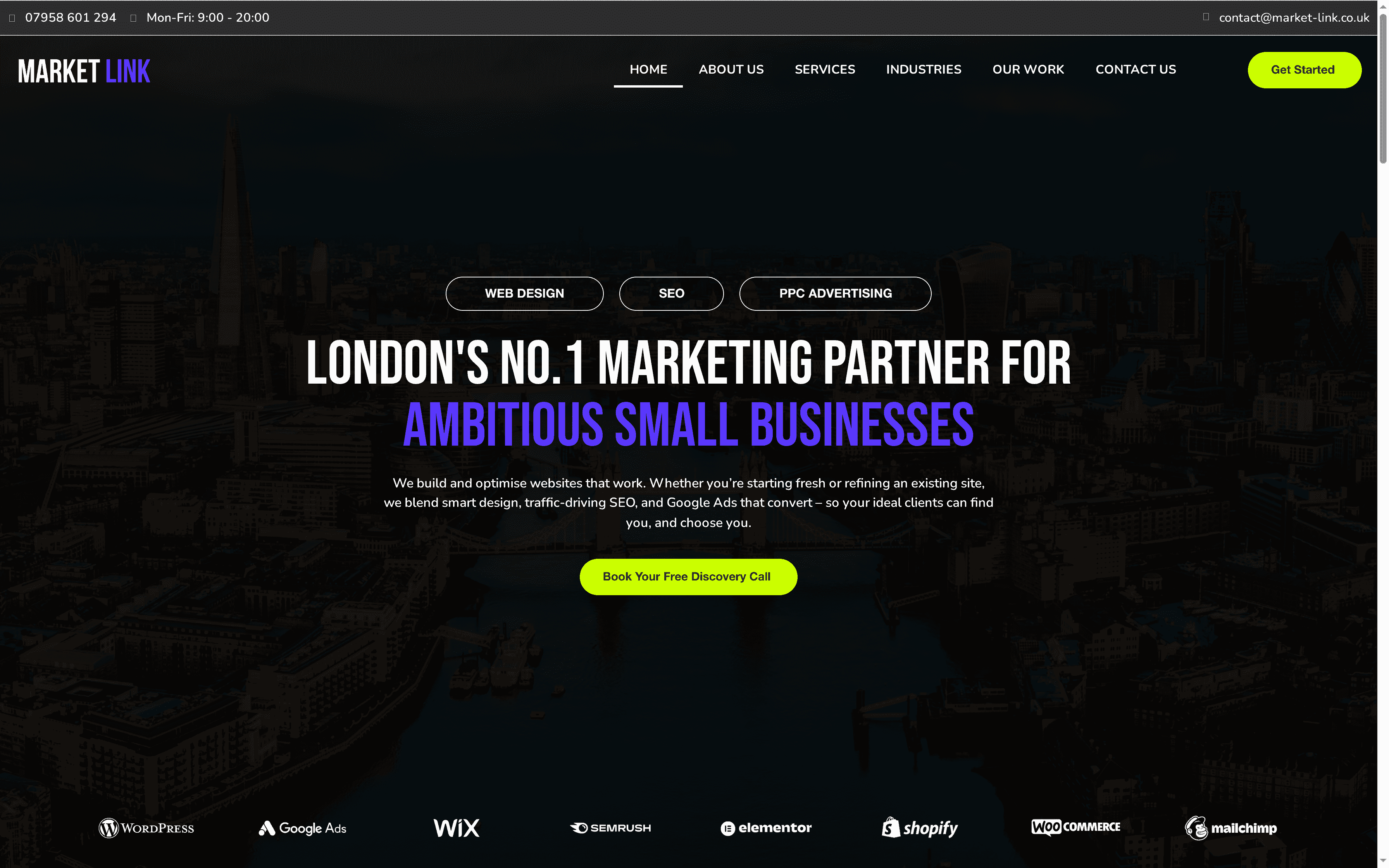
Take advantage of our expertise today by exploring real success stories from businesses we have helped at Success Stories Archives – Digital Marketing Agency – Market Link Solutions. Ready to elevate your website and increase bookings Book your consultation now at Market Link Solutions and let us help you build a website that truly works for your London business.
Frequently Asked Questions
How can I ensure my website is mobile-friendly?
To ensure your website is mobile-friendly, focus on responsive design that adjusts to different screen sizes and provides easy navigation. Test your site on various mobile devices to confirm that buttons are easily tappable and the text is readable without zooming.
What types of photos should I use for my small business website?
Use high-quality, well-lit photos that showcase your business environment and offerings. Aim for a variety of images, such as those depicting happy clients, your team at work, and your signature products, to engage visitors effectively.
How can I improve my website’s loading speed?
To improve your website’s loading speed, compress large images and streamline your code to reduce file sizes. Conduct speed tests and aim for your pages to load within three seconds to enhance user experience and reduce visitor drop-off.
What should my navigation menu look like for effective usability?
Your navigation menu should be simple and intuitive, with clear labels that match your customers’ language. Limit the main menu options to five to seven items, using dropdowns for related services to keep the navigation uncluttered.
How can I highlight my contact details effectively on my website?
To highlight your contact details effectively, place your phone number and email address prominently in the header and footer of every page. Ensure your physical address is linked to a map for easy access, so customers can find you quickly without digging through the site.
What are the most effective calls to action for my website?
Effective calls to action should be clear and specific, directing visitors on what to do next, such as